GSoC 2026 Final Report
Implementation of Learn, Virtual World, and ScholarAI. Technical details, PRs and what I learned.

Google Summer of Code 2026 was an opportunity for me to contribute to Alpha One Labs as an engineer working across product features, platform security, data migrations, payments, testing, and greenfield project setup.
My primary project was Learn, Alpha One Labs' encrypted learning platform. During the coding period I also established working foundations for Virtual World, an interactive 3D learning environment, and ScholarAI, an AI-assisted research tool.
This report is intended to be a technical record of the work. It links directly to the upstream pull requests, explains the architecture and product decisions behind them, distinguishes merged work from open work, and documents the next steps honestly.
Executive summary
During GSoC, I delivered eight merged pull requests to Learn and opened four additional pull requests that are awaiting merge or final updates:
- 8 merged Learn PRs: visual system and authenticated UI, email verification and password recovery, production database migration, public profiles and avatars, graphing calculator, About/Terms/Feedback pages, an authentication bug fix, and the final survey system.
- 1 open Learn PR: a full Stripe donation system with one-time and recurring donations.
- 1 open Virtual World PR: a TypeScript, Vite, Three.js, and Cloudflare Workers application with Learn API authentication.
- 2 open ScholarAI PRs: the initial Cloudflare-based AI research-assistant application and repository-quality automation.
The work spans HTML/CSS/JavaScript and TypeScript on the frontend; Python on Cloudflare Workers; Cloudflare D1 and R2; Mailgun; Stripe; GitHub Actions; automated tests; database migrations; and 3D development with Three.js.
Project scope and goals
The goal was not simply to add pages to a website. Learn is evolving into a privacy-conscious educational platform, so the project had to improve the user experience without treating security, deployment, or data evolution as afterthoughts.
I structured the work around five practical goals:
- strengthen account security and production reliability through email verification, password recovery, and proper database migrations;
- give users a richer platform identity through profiles, avatar storage, public visibility controls, and consistent navigation state;
- add useful product capabilities: surveys, a graphing calculator, feedback collection, and public information pages;
- create an extensible, secure donation flow using Stripe and recurring subscriptions;
- establish deployable foundations for Virtual World and ScholarAI, rather than leaving them as isolated prototypes.
Technical environment
The main Learn repository uses an edge-oriented architecture. Its frontend is built with HTML, CSS, and browser JavaScript; backend APIs run in Python on Cloudflare Workers. Data is stored in Cloudflare D1, and user data is handled using the platform's encryption approach. The implementation work required me to work at several layers at once:
- browser UI, responsive design, accessibility states, and client-side validation;
- API routing, authentication and authorization checks, input validation, and useful error responses;
- relational schema design, SQL migrations, indexes, and backward compatibility for existing users;
- third-party integrations with Mailgun and Stripe;
- Cloudflare deployment configuration, including Workers, D1, R2, static assets, and environment variables;
- automated API tests and manual verification of user-facing workflows.
The additional projects introduced their own stacks. Virtual World is a TypeScript/Vite application built with Three.js and deployed through Cloudflare Workers. ScholarAI combines a responsive frontend with a Python Cloudflare Worker, Cloudflare Workers AI, static-asset serving, and observability configuration.
Merged work in Learn
1. Product UI and authenticated navigation
My first merged contribution was PR #19: update pages according to the old website color scheme and design. This was a significant UI refresh: 3,259 additions and 1,051 deletions across 10 files.
I rebuilt core public and authenticated experiences around the project’s teal visual system, including the landing page, dashboard, teaching page, navigation, footer, and a profile experience. This was more than a visual change. The navigation became aware of client-side authentication state, rendering sign-in actions for unauthenticated users and an identity-aware profile menu for signed-in users. It also included responsive mobile navigation, logout cleanup, profile/dashboard navigation, activity rendering states, and safer handling of incomplete activity data.
This PR taught me an important product lesson early in the project: a design refresh needs to preserve behavior. Frontend state, mobile interactions, empty states, errors, and logout behavior all need the same attention as the page layout.
2. Secure email verification and password recovery
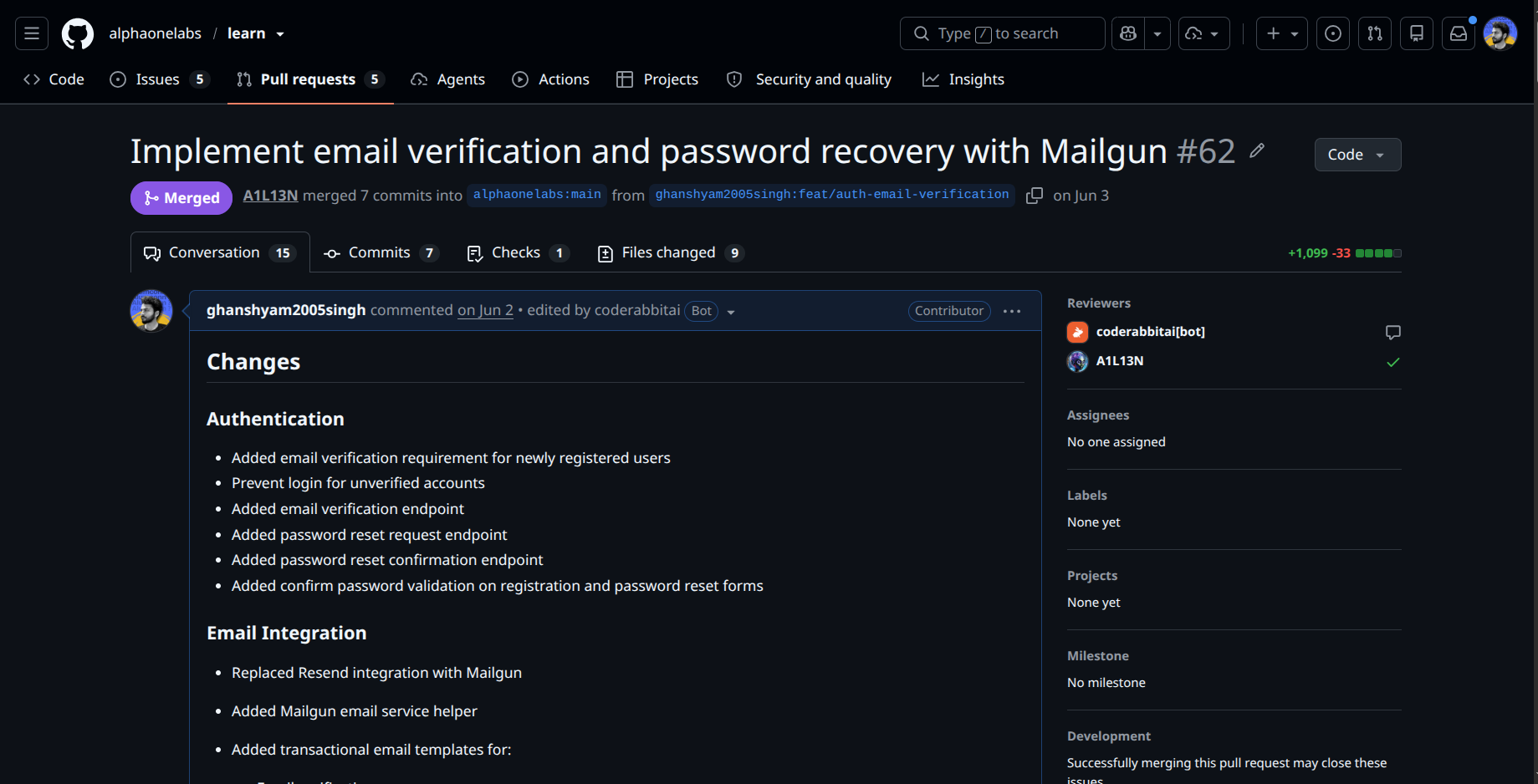
PR #62: Implement email verification and password recovery with Mailgun was one of the most security-sensitive parts of my GSoC work. It added 1,099 lines across 9 files and turned account recovery into a complete, production-oriented workflow.
The implementation included:
- mandatory email verification for new accounts;
- verification, resend-verification, forgot-password, and reset-password API endpoints;
- Mailgun transactional email delivery and reusable email helpers;
- verification, reset, expired-link, success, and validation UI states;
- registration and login behavior that prevents unverified accounts from accessing the platform;
- tests for registration, delivery flows, successful and failed verification, reset flows, cooldowns, and expired or invalid tokens.
The security design was intentional. Tokens are generated with os.urandom(32), hashed using SHA-256 before storage, and never persisted in plaintext. Verification tokens expire after 24 hours; reset tokens expire after one hour; and both are consumed once used. Existing password hashing with PBKDF2 remains in place, while sensitive user data continues to use AES-256-GCM encryption. Generic responses in reset and verification flows help reduce account-enumeration risk.
At the database layer, I added email-verification state to users as well as dedicated email_verification_tokens and password_reset_tokens tables, including appropriate relationships and indexes. This was a clear example of why authentication work cannot stop at frontend forms: secure token lifecycle, database design, rate limiting, migration behavior, and failure states are all part of the feature.
3. Fixing the production migration path
After introducing the email-verification schema, I found and fixed a production issue: the remote Cloudflare D1 database did not yet have the required schema. PR #64: Fix production auth failures by applying email verification migration added the missing migration configuration.
Although it is a small PR (27 lines in one file), it was a crucial deployment fix. The migration adds the verification column and token tables to D1 and marks legacy users as verified so existing accounts keep access. It also made the separation between local schema initialization and production migration sequencing much cleaner.
This was one of the most valuable lessons of the project: a feature that works in development is not complete until its data migration works safely in production. Database evolution needs to preserve both new behavior and existing users.
4. Profiles, public discovery, avatars, and test coverage
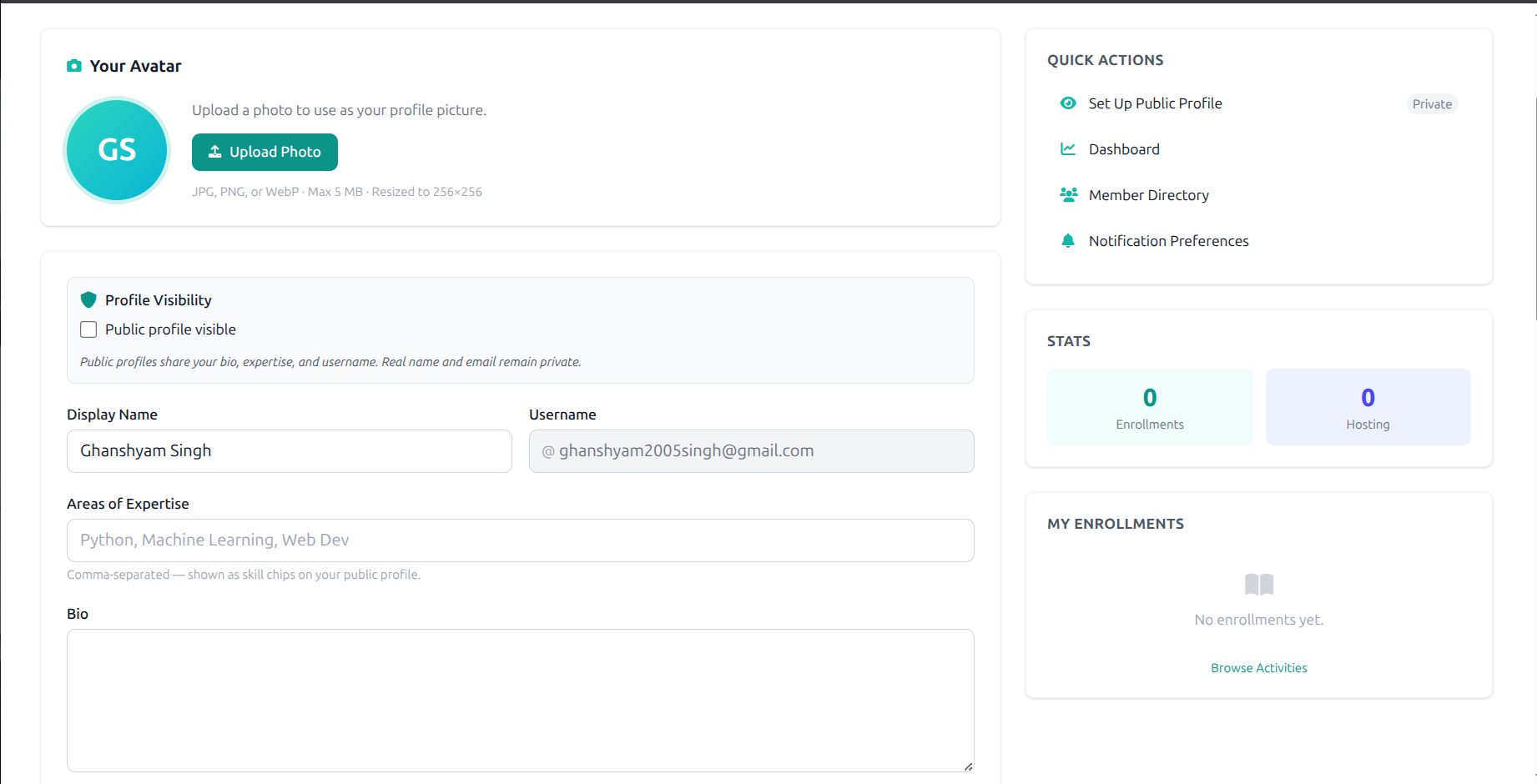
PR #65: Added profile page, avatar handling, navbar synchronization and tests added 1,485 lines across 12 files. It moved Learn toward a real user community rather than a collection of isolated accounts.
The profile system lets a user edit their bio, social usernames, expertise tags, profile visibility, and teacher/public-profile settings. I added public-profile pages and a searchable member directory that exposes only profiles users explicitly mark public. The APIs enforce visibility behavior, including a protected response for private profiles.
Avatar storage is designed for both production and developer environments:
- with a configured Cloudflare R2 binding, avatar files are stored in R2;
- when R2 is not available, the platform uses a Base64 data-URL fallback so development and local testing still work;
- browser-side handling validates images, resizes them to a maximum of 256px, supports optimistic previews, and provides removal plus initials-based fallback behavior.
I also improved navbar loading and synchronization. Shared layout fragments are loaded concurrently, and the identity shown in desktop and mobile navigation updates immediately after a profile or avatar change. This avoids the common problem where users update their profile but continue seeing stale data until a full page reload.
The PR includes a dedicated profile API test suite covering authenticated profile operations, account deletion, upload/remove behavior, public directory access, visibility controls, and both R2-backed and fallback avatar paths.
5. Interactive graphing calculator
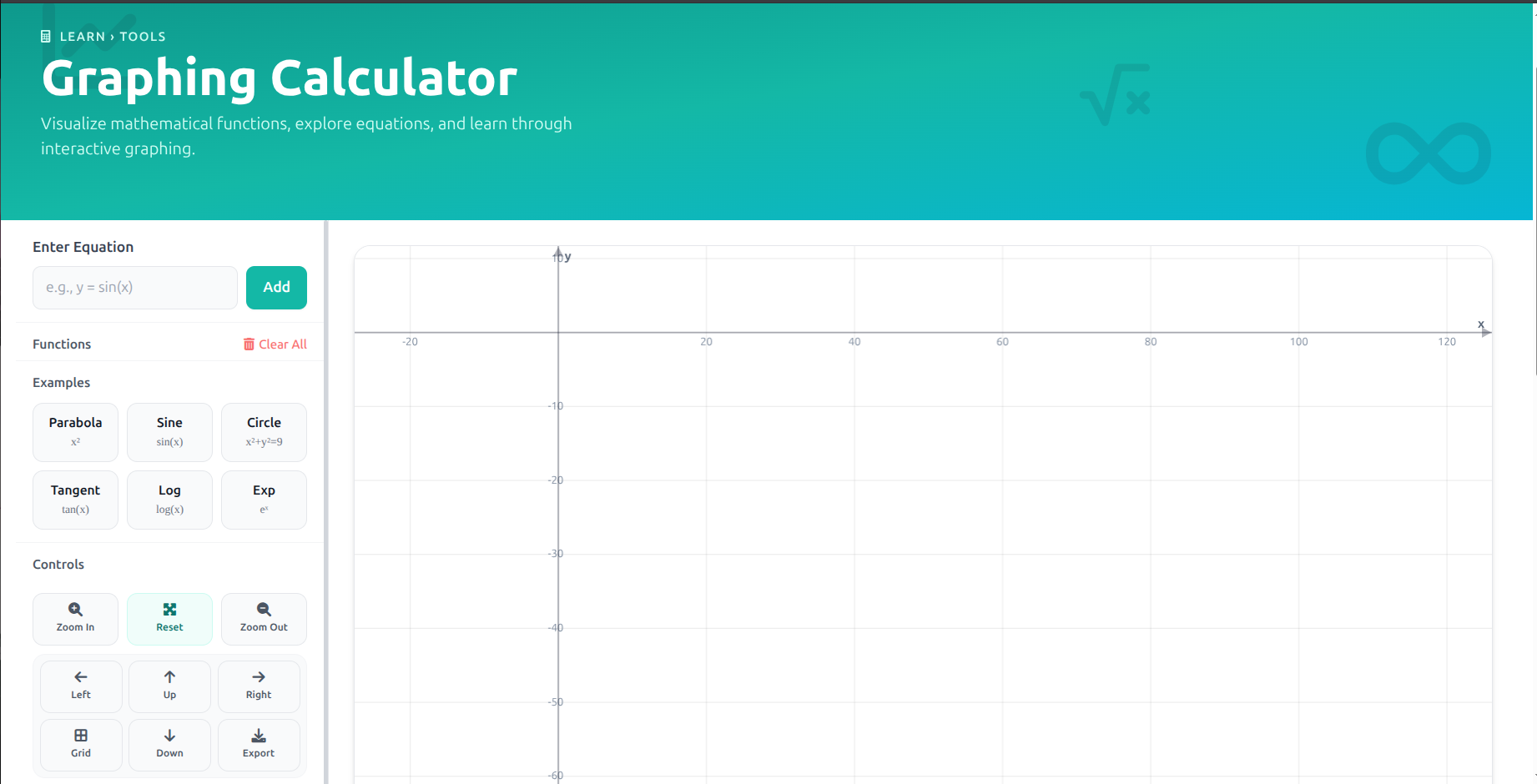
PR #68: Add Interactive Graphing Calculator Page rebuilt the calculator into an interactive browser-based learning tool. The change contains 1,101 additions and 591 deletions.
The calculator is powered by Math.js and supports trigonometric, logarithmic, exponential, square-root, absolute-value, constant, power, and standard arithmetic expressions. It renders equations on a Cartesian canvas and supports multiple equations, per-equation visibility, color cycling, live editing, debounced updates, validation feedback, and built-in learning examples such as parabolas, sine waves, circles, tangents, logarithms, and exponentials.
I implemented interaction methods appropriate for both desktop and mobile: mouse-wheel zoom, drag pan, touch pinch zoom, keyboard controls, coordinate hover information, fullscreen mode, grid settings, dark-mode support, and PNG export. I also manually verified graph rendering, invalid-expression handling, responsive behavior, examples, and export workflows.
6. About, Terms, and Feedback platform surfaces
PR #70: add about, terms, and feedback pages added 847 lines across 4 files and completed several important public-facing parts of the platform.
The About page communicates Alpha One Labs' mission, values, history, and learner/teacher calls to action. The Terms page includes a structured policy layout with a sticky table of contents, section highlighting, privacy-related subsections, and anchor navigation. I also added a dedicated Feedback page with validation, optional contact details, live character count, success/reset states, and community contact links.
The feedback page is backed by POST /api/feedback. The API validates submissions, sends configurable Mailgun notifications to administrators, and can optionally send a best-effort Slack notification. This is a small but complete vertical feature: accessible UI, validation, backend endpoint, notifications, configuration, and navigation integration.
7. Authentication-state bug fix in Messages
PR #77: Fix Messages page auth state for logged-in users was a focused production-quality fix. A signed-in user who had no messages could incorrectly see a sign-in prompt. I changed the page’s main content to require client-rendered authentication state, allowing authenticated users to see the correct empty state instead.
The change is only one line, but it reflects something I value in product work: small inconsistencies in an authenticated journey can make a system feel unreliable, and they are worth fixing.
8. Surveys: authoring, participation, analytics, encryption, and export
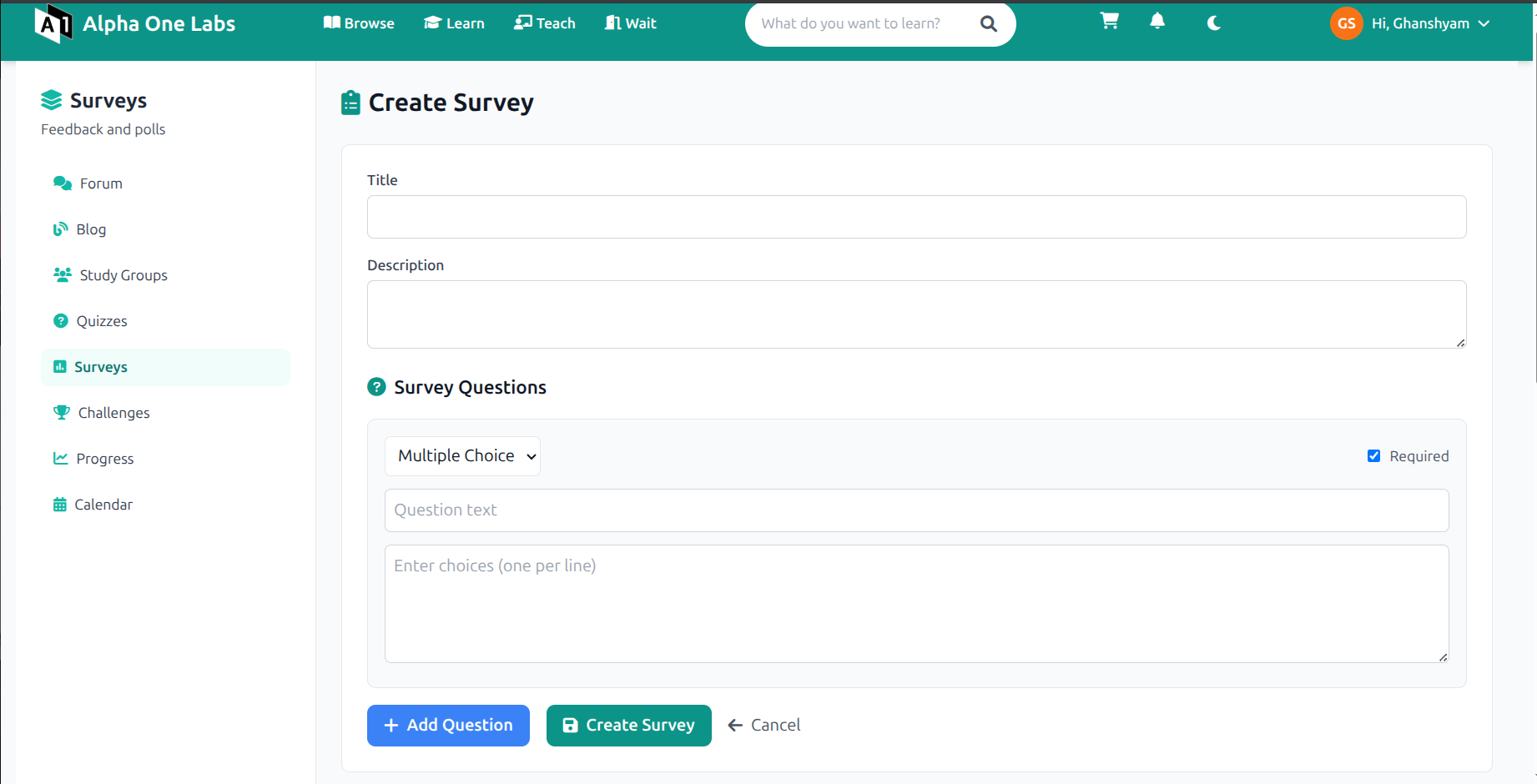
The survey feature went through an initial closed implementation, PR #74: Surveys System – Create, Participate & Analyze Surveys, followed by the final merged implementation, PR #78: Add survey creation, submission, results analytics and response management.
PR #74 was a larger design and API exploration (2,958 additions across 10 files) with separate survey pages, modular backend code, migrations, validation, analytics, CSV export, and tests. The final merged PR #78 consolidated the required workflow into the platform and added 930 lines across 2 files.
The delivered survey system supports:
- survey creation, listing, retrieval, deletion, participation, response management, and results;
- multiple-choice, checkbox, text, true/false, and scale questions;
- required-question and choice validation;
- creator-only deletion and authenticated access control;
- duplicate-response prevention with a
409response; - response aggregation, response-rate calculation, engagement scores, and top/bottom answer insights;
- CSV export and survey views for listing, creation, participation, and results.
Privacy was part of the design: free-text survey answers are encrypted with AES before storage, consistent with the platform’s feedback-message handling. The original survey work also included comprehensive test coverage for permission boundaries, visibility, creation and submission validation, duplicate response behavior, analytics, deletion, and CSV export.
Open work awaiting upstream merge
Stripe donations and recurring support
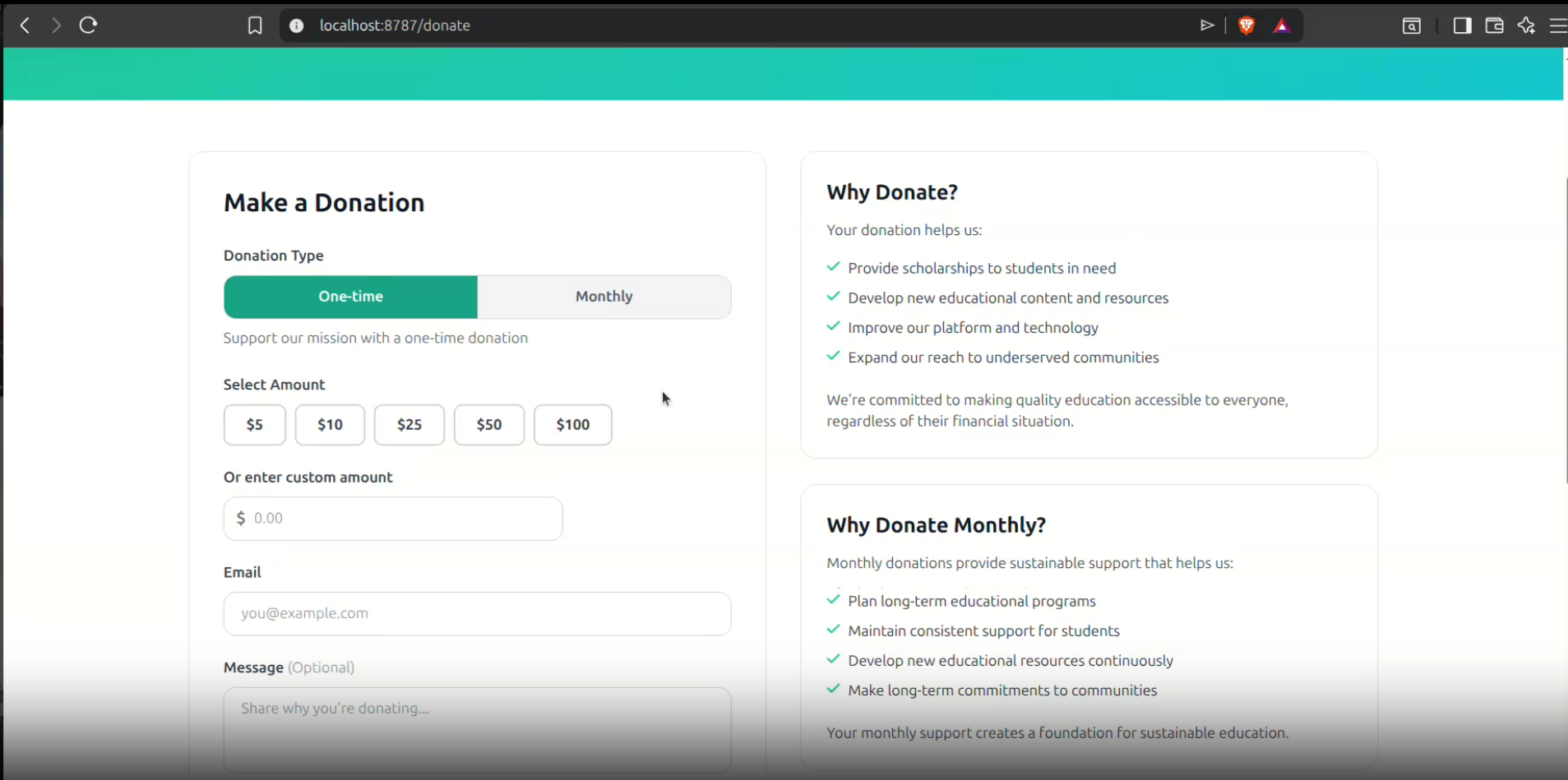
PR #72: Add donation platform with Stripe integration and recurring support is open and awaits upstream merge. It is a substantial change: 1,634 additions and 146 deletions across 5 files.
I designed it as a dedicated donation domain rather than adding all payment logic to the main worker file. The implementation separates reusable business logic in src/donations.py from payment endpoints in src/api/donations.py. This makes validation, formatting, donation-record handling, and future maintenance easier to reason about.
The donation flow includes one-time donations through Stripe PaymentIntents and monthly support through Stripe Customers and Subscriptions. It uses Stripe Payment Element in the responsive frontend, includes preset and custom amounts, optional donor messages, anonymous support, donation statistics, and a recent-donations feed.
The backend provides endpoints for configuration, statistics, recent donations, one-time payment creation, recurring subscription creation, and Stripe webhooks. It verifies webhook signatures and synchronizes payment, subscription, and invoice events, including successful and failed payment states. The database migration adds a donations table with Stripe identifiers, donor data, payment status, and recurring-donation support. Successful donations can also trigger Mailgun thank-you emails.
This PR still needs review and merge, and deployment requires the relevant Stripe and Mailgun environment variables. I am deliberately reporting it as open rather than claiming it is live.
Virtual World: a deployable 3D learning foundation
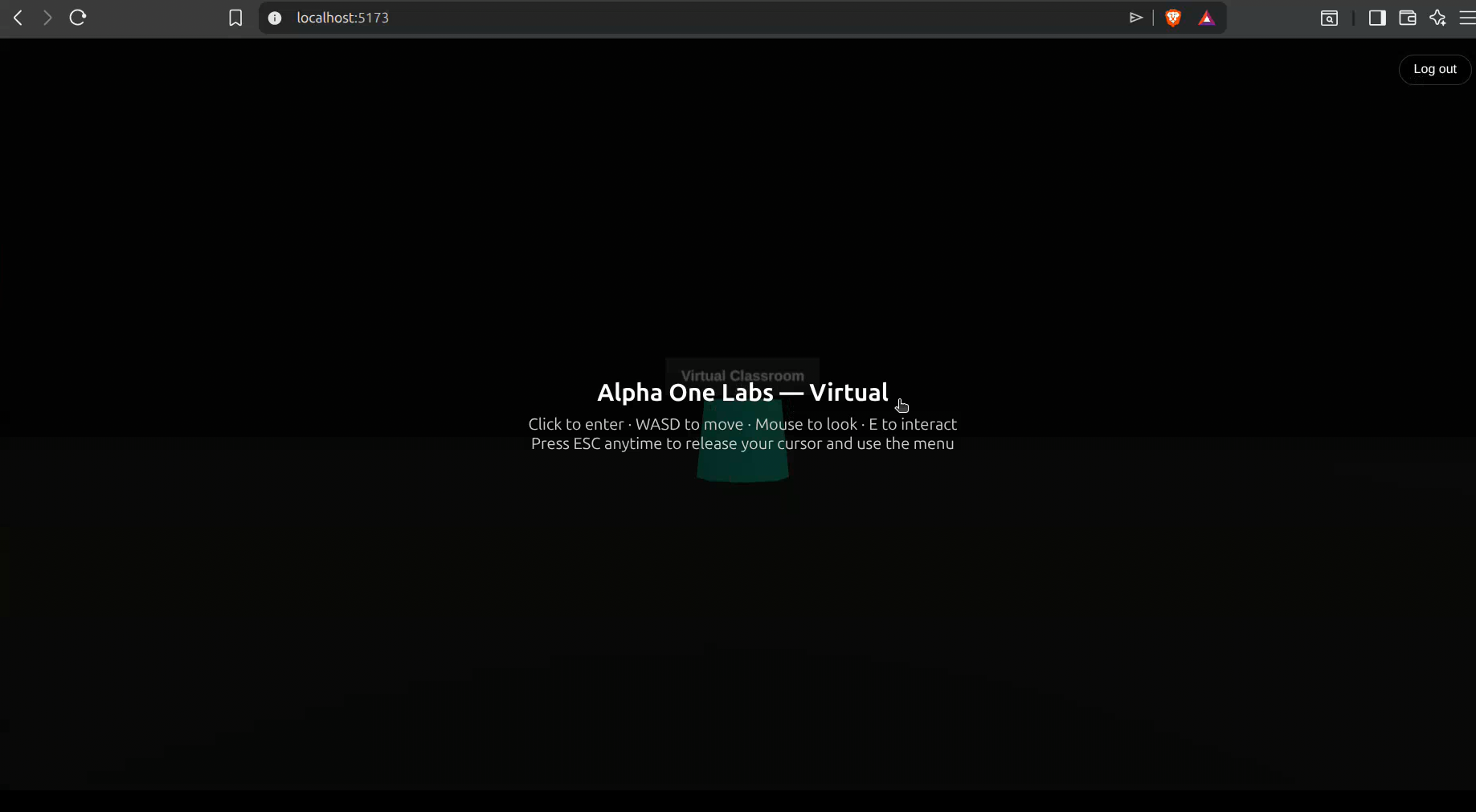
PR #1: Initial virtual world project setup is open in the Virtual World repository. It introduces 3,865 lines across 22 files.
This is a separate TypeScript application built with Vite and Three.js. I configured development, production builds, preview, deployment, Cloudflare Workers via Wrangler, SPA asset serving, environment-based configuration, and setup documentation.
The initial 3D experience includes a Three.js scene, first-person controls, portals, lighting, fog, responsive rendering, activity data, cursor-lock guidance, portal prompts, activity-detail overlays, navigation links, and logout interactions. Rather than creating a second backend, I integrated login and registration with the existing Learn API. The app uses environment-configured API URLs, client-side session storage, redirects, validation, and error handling.
The result is a real deployable starting point: users can authenticate, enter the environment, move through it, interact with portals, and access activities. The next engineering phase is to add CI, automated tests, and multi-user behavior. Features such as shared whiteboards and classrooms require real-time synchronization and a clear concurrency model; they should be designed deliberately rather than bolted onto a single-user scene.
ScholarAI: an AI-assisted research workflow
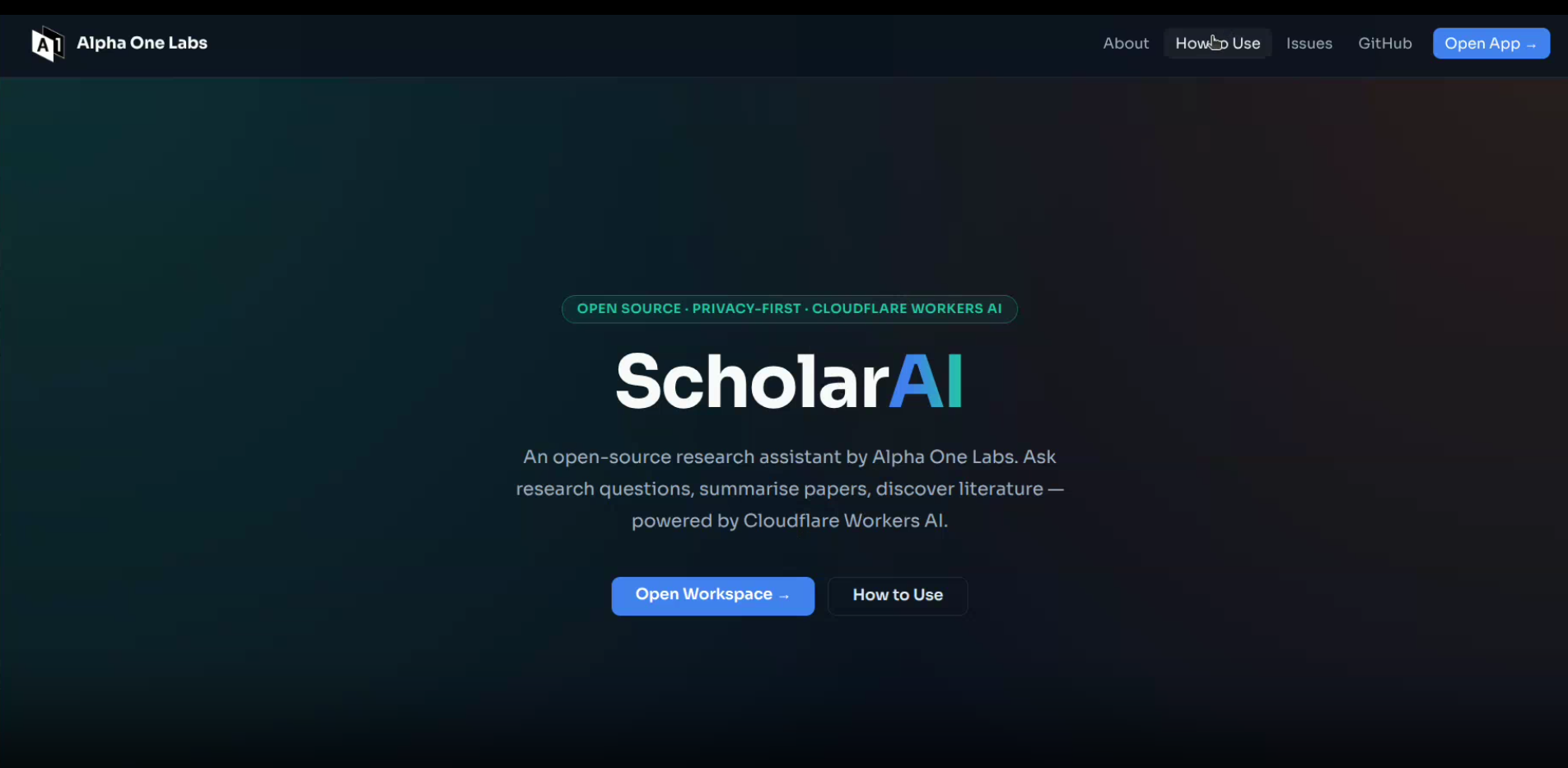
PR #2: Project setup is the open initial application PR for ScholarAI (1,619 additions and 2 deletions across 7 files). I built a Cloudflare Python Worker that exposes AI-backed capabilities for asking questions, paper summarization, literature discovery, and literature-review generation. The Worker includes input validation, CORS behavior, error responses, health checks, frontend serving, and static-asset fallback handling.
The frontend supports PDF upload, browser-side text extraction, tabbed research workflows, drag-and-drop input, validation, loading states, and API-error handling. I configured Cloudflare Workers AI, static assets, compatibility settings, observability, and project documentation covering setup, development, deployment, APIs, contribution, and licensing.
I also opened PR #3: repository workflows, adding a pull-request template, a peer-review reminder workflow, and PR-title validation through GitHub Actions. These repository practices are important for a project that needs to be maintained by more than one contributor: clear PR descriptions, consistent titles, and review discipline make future changes easier to evaluate.
The ScholarAI PR needs its planned final update before merge. The foundation is working, but I consider the next stage—review, refinement, tests, and user feedback—essential before describing it as complete.
Current status and next steps
Learn is in a working state with the merged features available upstream. The most immediate next step is reviewing and merging the three product PRs that remain open: Stripe donations, Virtual World, and ScholarAI.
After that, my technical priorities would be:
- add CI and broader automated test coverage to Virtual World;
- design multi-user Virtual World features around explicit real-time state and synchronization requirements;
- complete the ScholarAI PR update, then test the full PDF-to-AI workflow and harden error handling;
- validate Stripe webhooks and payment states in the target deployment environment before enabling donations publicly;
- continue improving Learn based on user feedback and real usage of profiles, surveys, and learning tools.
Challenges and What I learned
This project was my first sustained experience building for an encrypted platform. It taught me to view features as complete systems, not isolated pages. For example, account verification meant cryptographic token generation, hashed storage, expiry and single-use semantics, email delivery, user messaging, schema changes, legacy-user migration, tests, and production deployment-not just a “verify email” button.
I also learned to treat migrations as first-class engineering work. The production D1 issue made that concrete: an application can have correct code and still fail if its production schema has not evolved alongside it. Maintaining a safe path for existing users matters as much as introducing new functionality.
Working across Learn, Virtual World, and ScholarAI improved my ability to move between established codebases and greenfield systems. I practiced choosing appropriate boundaries-dedicated modules for donation logic, reuse of Learn authentication instead of duplicate backends, environment-based configuration, and CI workflows that support future contributors.
Most of all, I learned that open source work is collaborative engineering. Pull requests need clear explanations, code needs reviewability, tests protect future maintainers, and honest status reporting matters. I am grateful to the Alpha One Labs mentors and community for their feedback and support, and I plan to keep contributing beyond GSoC.
Subscribe for new blog posts
Get notified when I publish new posts about open source, projects, engineering, and my learning journey.